
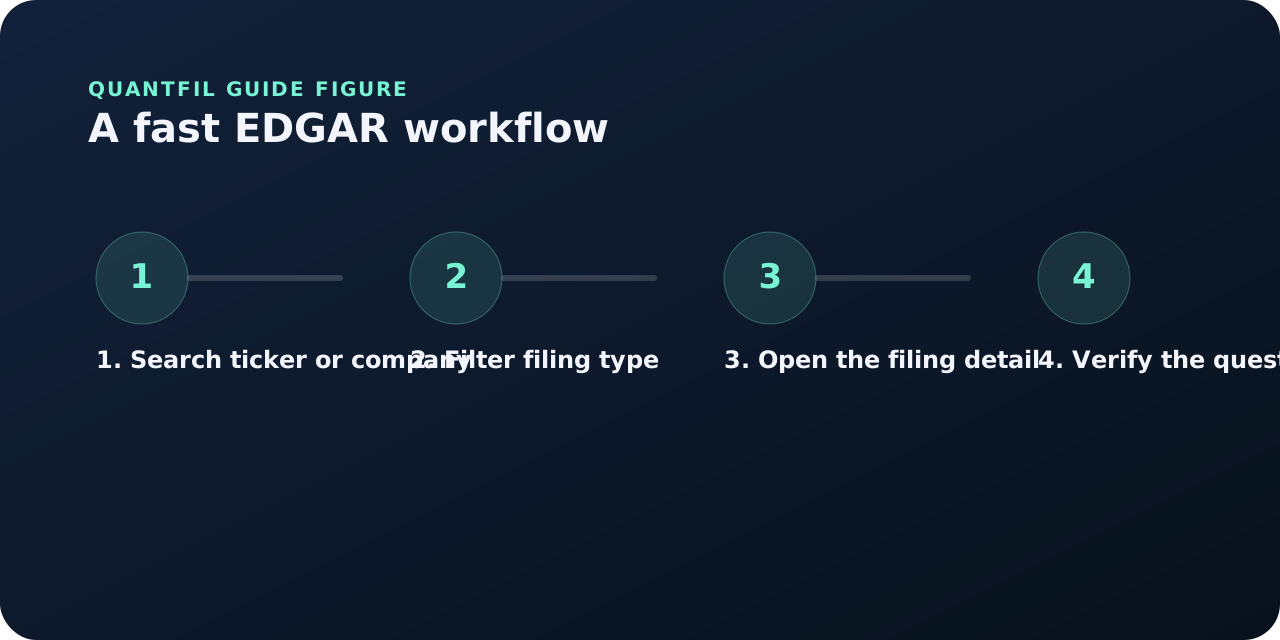
EDGAR is the SEC’s public database for company filings. For most investors, it is the place where the official source lives. That makes it essential even if you use other tools first. You do not need to become a filing librarian to use EDGAR well, but you do need a workflow. The best workflow is simple: identify the company, filter to the filing type you want, open the filing detail, and verify the specific point that matters.
That last part is important. EDGAR is not useful just because it is official. It is useful because it gives you the underlying document that can confirm or challenge a summary, a market narrative, or a research note. On Quantfil, the goal is often to arrive at EDGAR with a sharper question than you would have had otherwise.
- EDGAR is the SEC’s official filing database for public company disclosures.
- It works best when you search with a filing type and a verification goal in mind.
- Quantfil can help you decide which filing to open and what to look for once you get there.
What EDGAR is for
EDGAR is where public filings become accessible in a standardized public system. It lets you search by company name, ticker, filing type, and date. That means it is the source of truth for the actual filing document, the filing date, the reporting period, and related exhibits. If a conclusion matters, EDGAR is where you should be able to verify it.
For beginners, EDGAR can feel intimidating because the interface is functional rather than friendly. For more experienced readers, the challenge is usually speed. Both problems improve when the goal is specific. If you know you need the latest 10-Q, a recent 8-K, or a prior 10-K to compare disclosures, EDGAR becomes much easier to use well.
How to search EDGAR efficiently
Start with the company search and use the filing-type filter early. If you are looking for the annual filing, search the company and filter to 10-K. If you are trying to understand a recent event, filter to 8-K. If you want the last quarterly update, filter to 10-Q. That single step removes much of the noise and makes the results far more usable.
Once you open the filing detail, focus on the filing date, period of report, and document list. Many filings include multiple documents and exhibits. If the first HTML document is the report itself, start there. If the filing is a current report with an attached release, the exhibit may be the fastest route to the substance.
- Use company search first
- Filter by filing type early
- Check filing date and period of report before comparing documents
- Open exhibits when they contain the clearest event explanation
What EDGAR should help you verify
EDGAR is most useful for verification. It tells you whether the filing date is correct, whether the report period matches what you think it does, whether the filing includes the risk language or management discussion you expected, and whether a current report really said what a summary claims it said.
That is why Quantfil and EDGAR work well together. Quantfil should help you narrow attention to the most important part of the filing read. EDGAR should help you verify the part that matters to your decision. Those two steps together are stronger than either one alone.
Common EDGAR mistakes
One common mistake is opening EDGAR without knowing which filing type or date matters. Another is reading a filing without checking the period of report, which can create bad comparisons. A third is skipping exhibits or related documents that actually contain the specific detail you need. Investors also lose time when they treat EDGAR as a place to browse casually rather than verify intentionally.
A source check may confirm a number, contradict a claim, or leave a question unresolved. All three are useful outcomes. Record the exact document and the limit of what it discloses rather than searching until you find wording that supports a preferred conclusion.
Worked example / hypothetical, not company data
Resolve two similar search results
Your search returns an issuer's 10-K and a 10-K/A filed a month later. The amendment discusses an omitted governance disclosure.
Should the later date automatically replace every financial number?
No. Read the amendment's explanatory note to determine its scope. An amendment may change particular disclosures rather than restate the financial statements. Retain the original source for unchanged numbers and the amendment for the amended material. Searching by ticker gets you to a company; the accession identifies the particular submission you used.
Source check: Save both exact document links and a sentence explaining which disclosure each supports.
Choose a company source
These reference pages link to dated filings. Apply the question to the document, rather than treating the reference data as an analyst opinion.
Frequently asked questions
What is the fastest way to find a specific filing?
Search the company first, then filter by filing type such as 10-K, 10-Q, or 8-K.
Should I read the filing detail page or the HTML document first?
Use the filing detail page to confirm the metadata, then open the main document or relevant exhibit.
Can EDGAR help with prior-period comparison?
Yes. It is one of the best places to find earlier filings so you can compare disclosures and statements across time.
Primary sources and further reading
Use and provenance
Educational analysis, not investment advice. The worked exercise is hypothetical, not a company disclosure. Use the primary sources above for definitions and the exact filing for company-specific facts. Publishing and accountability · Report a correction.